
To-dos.
Beautifully done.
A to-do app that is good to look at, or one that can do a lot? You don’t have to pick. Todolix is both, for people with a lot going on.
For iPhone, iPad and Mac. Apple Watch is coming soon.
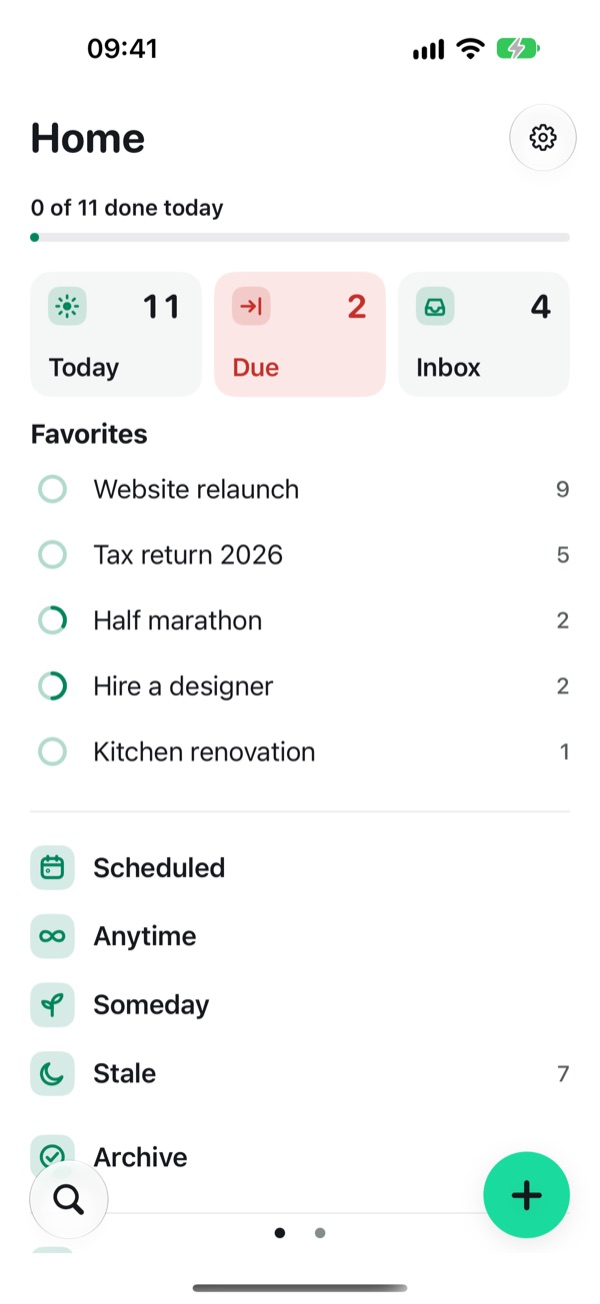
Pretty capable.
Some to-do apps are a pleasure to open and stop short when life gets full. Others can do everything, and look like it. Todolix was made so you don’t have to decide.
It does the tedious part for you, and every feature stays out of the way until you need it.
Said and done.
Type or say it the way you would tell a friend. Todolix picks out the day, the time, a repeat or a tag as you type, and keeps the rest as the to-do.
Use the keyboard or dictation, the plus button, a widget or the share sheet. Anything you haven’t sorted yet lands in the Inbox.
Decide. Do. Done.
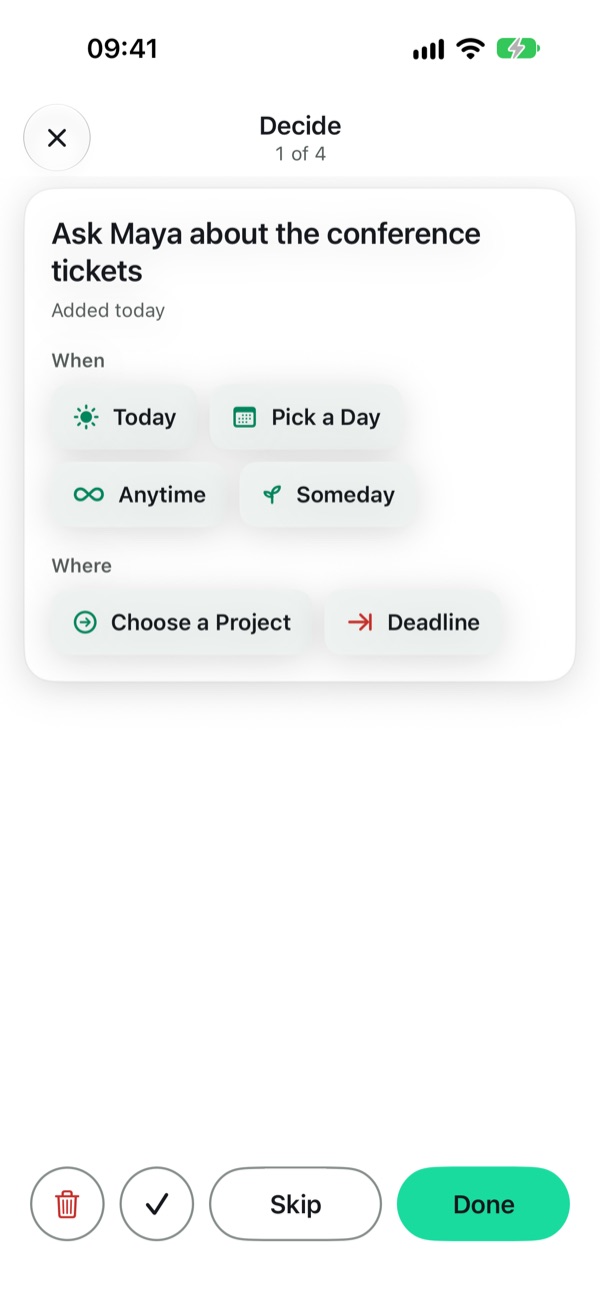
When the Inbox fills up, Decide takes you through it one to-do at a time. For each one you choose: today, a day, anytime, someday, a project or a deadline. Or delete it, or mark it done.
If you like, Todolix suggests where a to-do belongs. You always make the call.
See how much time you really have.
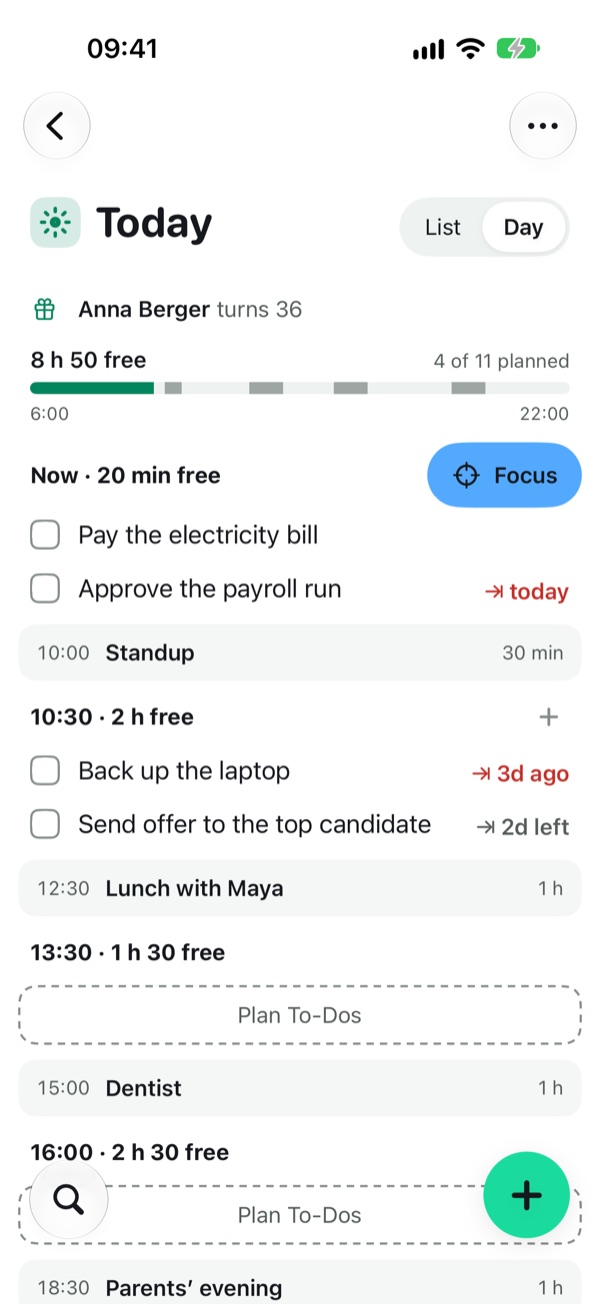
Today can show your calendar’s events and the free time between them. Plan your to-dos into that time, and you see at a glance whether the day can hold them.
Focus then shows only what you planned for right now, with the time that is left until your next event. Todolix reads your calendar and never changes it. Part of Todolix Pro.
A place for every kind of when.
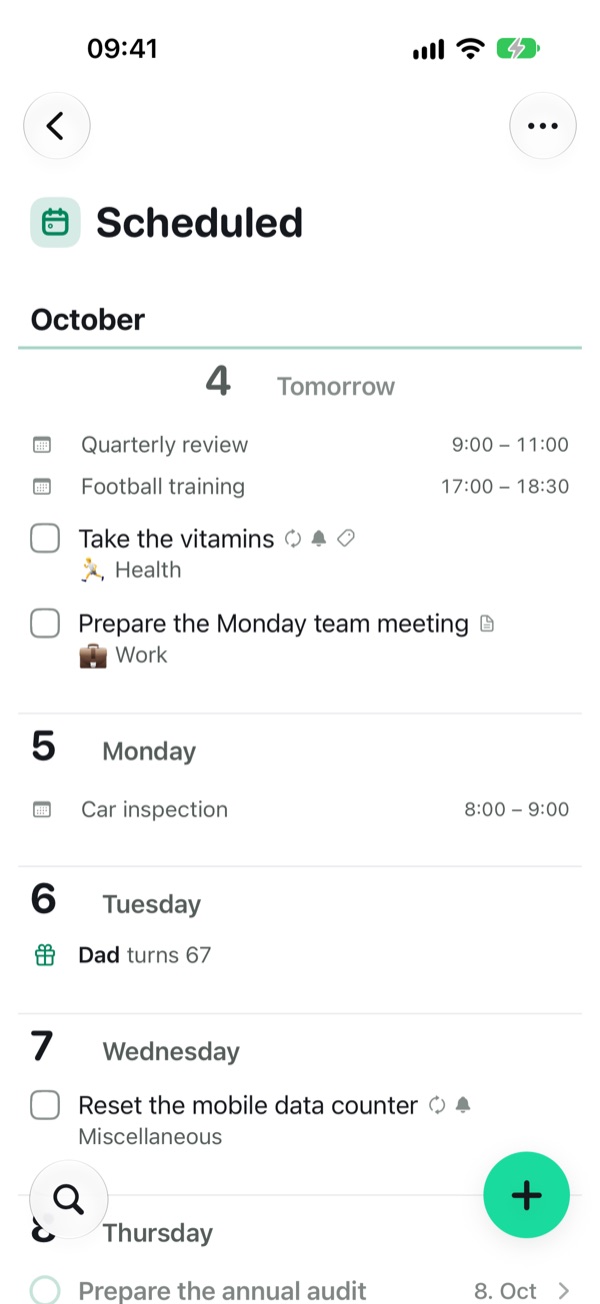
- Today for what you want to do now.
- Scheduled for what has a day, week by week and month by month.
- Anytime for what can happen whenever it fits.
- Someday for ideas you are not ready for.
- Due for everything with a deadline that is coming close.
Lists that listen.
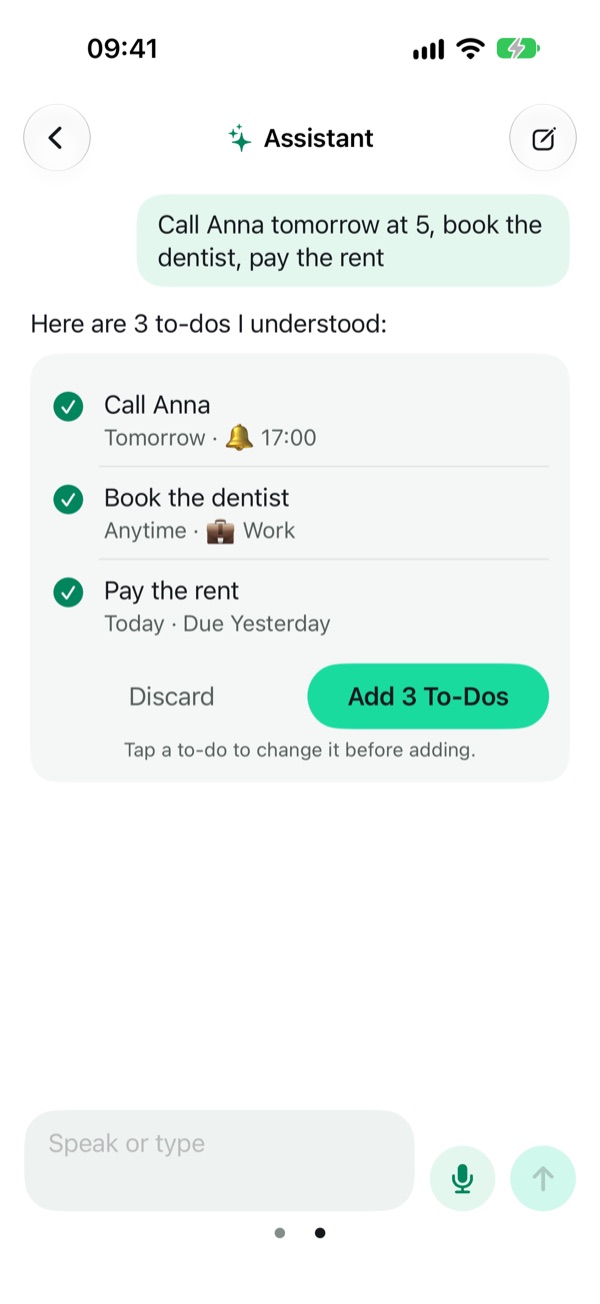
Tell the assistant what is on your mind, in one sentence or a long voice note, and it turns it into to-dos with days, times and projects. It proposes, you confirm. Nothing is added until you say so.
The assistant is optional and off until you switch it on.
Todolix, wherever you are.
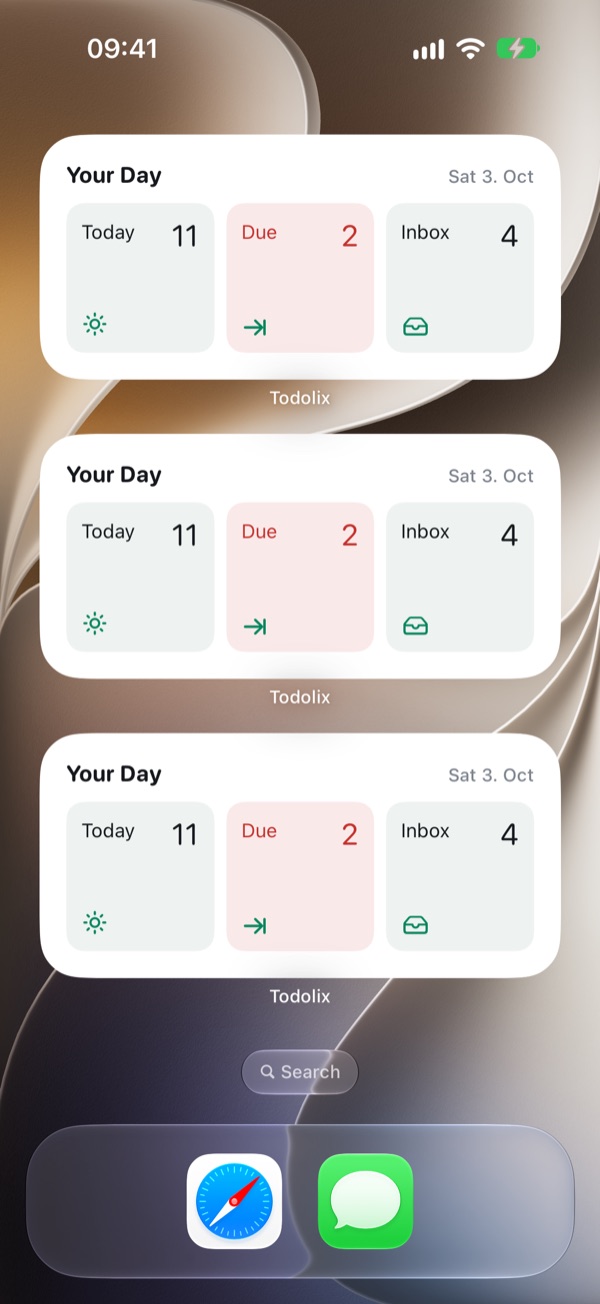
See your day on the Home Screen, tick off to-dos right in a widget, or add a page, a link or some text from any app through the share sheet.
Remember people and places.
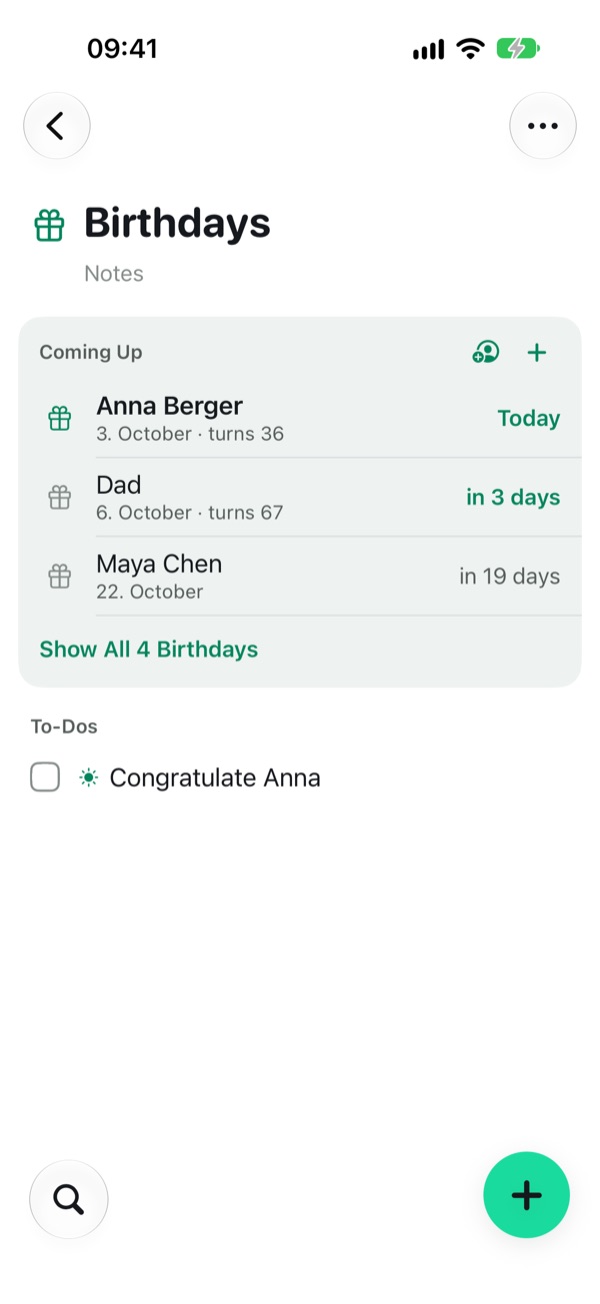
Keep birthdays in Todolix or bring them in from Contacts, and add a to-do for each one: call, write, find a present.
Get reminded at a time, or when you arrive at or leave a place.
Areas, projects, lists and boards
Group your life into areas like Home or Work. Projects have an end, lists don’t, and any project can be shown as a board.
On iPhone, iPad and Mac
Sign in once and your to-dos stay in sync across your devices. On iPad and Mac, a sidebar keeps everything in view. Signing in is optional.
No ads, no tracking
Todolix has no ads and does not track you. Your to-dos are yours.
Free
Any number of to-dos and projects, sync, widgets, deadlines, repeats, reminders at a time, and Decide.
Todolix Pro
Your calendar in Today with Focus, the assistant, suggestions in Decide, Email to Todolix, reminders at places, situations, your whole history, and AI apps such as Claude and ChatGPT working in your lists.
Coming soon: Apple Watch
We are building it next. With an account, your to-dos will be the same on your wrist, and Pro covers every device.
Looks good. Does a lot.
You don’t have to choose. Todolix is in the App Store, for iPhone, iPad and Mac.